
On 21 October 2026 the PHP project released PHP 8.5.12, 8.4.27, 8.3.36 and 8.2.35 to fix two critical flaws, CVE-2026-109618 and CVE-2026-109619. Both are rated 9.2 out of 10 (CVSS v4.0). Both let an attacker who has no login run their own code on the server — with a web request to any page served by PHP.
That covers almost every WordPress, Drupal and Joomla site, and most other PHP applications. Whether yours is affected depends only on the PHP version the server runs. This guide shows how to check it, and what to ask your host.
Check your PHP version now
Type your website, your PHP version, or both. If the site announces its PHP version, the check reads it; if it does not — which is better — type the version in.
Which versions are affected
A version below the fixed release of its branch is affected:
| Branch | Affected | Fixed in |
|---|---|---|
| PHP 8.5 | 8.5.11 and earlier | 8.5.12 |
| PHP 8.4 | 8.4.26 and earlier | 8.4.27 |
| PHP 8.3 | 8.3.35 and earlier | 8.3.36 |
| PHP 8.2 | 8.2.34 and earlier | 8.2.35 |
| PHP 8.1, 8.0, 7.4 | Every version | No release — the PHP project no longer updates these branches |
CVE-2026-109618 lets a request make PHP run out of memory while the request’s data is only half set up; the clean-up afterwards then treats that data as valid. CVE-2026-109619 lets state from one request outlive its memory and be used by a later request on the same PHP worker. Every way of running PHP for the web is affected — PHP-FPM, Apache with mod_php, php-cgi, LiteSpeed and FrankenPHP. The PHP project rates mod_php the most exposed, because the attack runs before any application code.
The PHP project lists settings that make some of the attack paths harder, but says plainly that only updating fixes the flaws.
How to find the version your site runs
- WordPress: Tools → Site Health → Info → Server shows the PHP version.
- cPanel: “Select PHP Version” or “MultiPHP Manager” shows the version each domain uses.
- Your own server:
php -vshows the command-line PHP, which can differ from the one serving the website; a page withphpinfo()shows the web one. Delete that page afterwards. - Your host: ask them — they can also tell you whether their build already carries the fix.
What to ask your host
On shared and managed hosting PHP belongs to the server, so the host updates it, not you. Ask for the fixed release of the branch your site uses — for example, “please update PHP 8.3 to 8.3.36”. Choosing a different version in the control panel only helps if the host has already updated that one.
If the host says the server is already patched but the version number has not changed, that can be true: some hosting platforms and Linux distributions apply security fixes to PHP without changing its version. Ask them to confirm that the fix for these two CVEs is applied.
On PHP 8.1 or older there is no new release to install. Ask the host to move the site to PHP 8.4 or 8.5 — after checking that its plugins and theme support it — or to confirm they have applied the fix the PHP project published for older branches.
While you are at it, ask them to set expose_php = Off. A site that sends X-Powered-By: PHP/8.3.33 tells every scanner on the internet which flaw to try. Hiding it fixes nothing, but it takes your site off the easy list.
If the host cannot update today
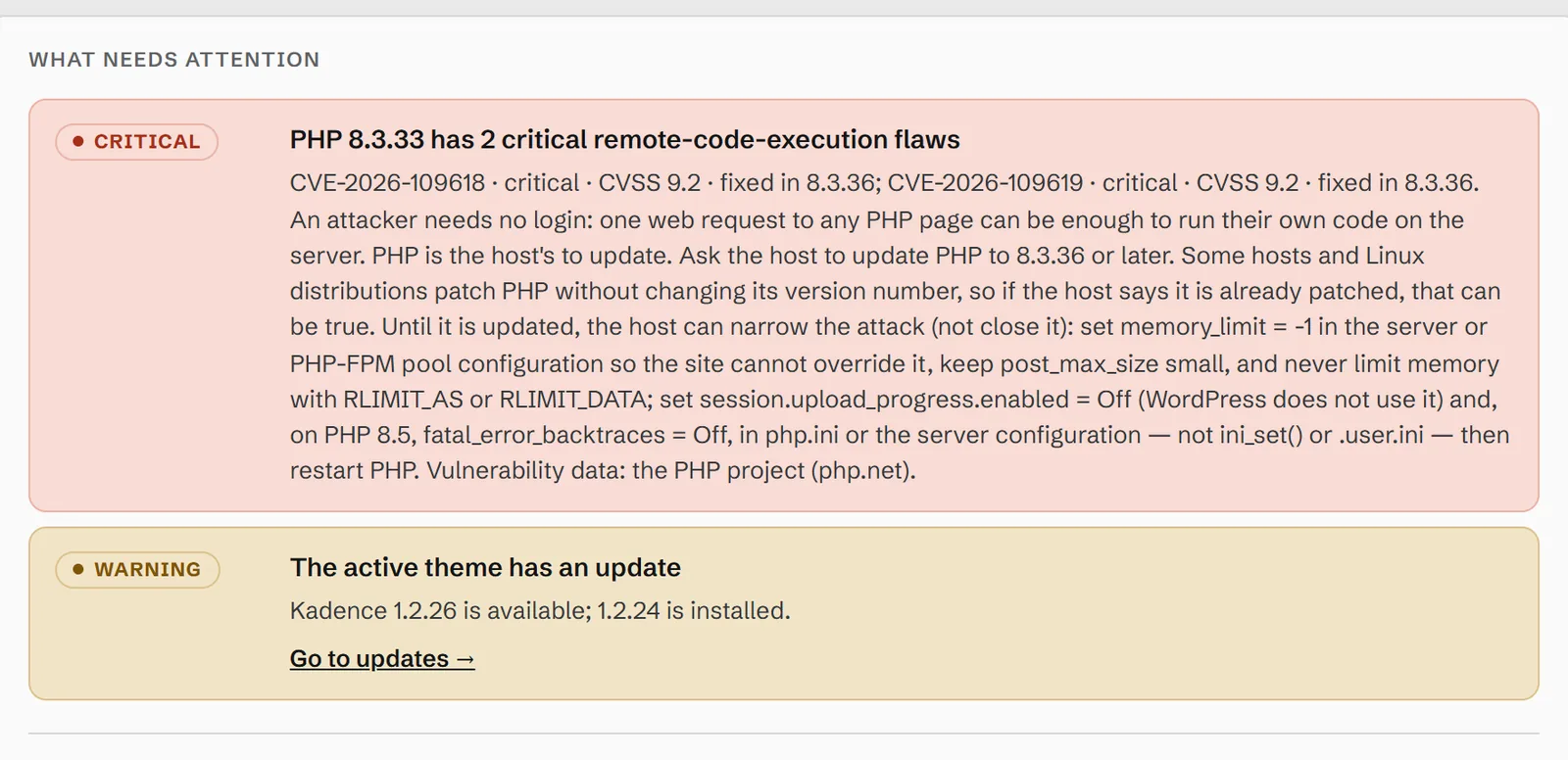
The PHP project lists settings that make the known attacks harder until the update is in. They narrow the attack; they do not close it. Each has to be set where it applies before a request starts — php.ini, the PHP-FPM pool, or the web server’s configuration — not with ini_set() or a .user.ini file, and PHP has to be restarted afterwards. On shared hosting that means asking the host:
session.upload_progress.enabled = Off— closes the confirmed path of CVE-2026-109619 through session upload progress. WordPress does not use the feature, and the PHP project suggests leaving it off even after updating.fatal_error_backtraces = Off— PHP 8.5 only. Removes the path the confirmed exploit used. The only cost is a shorter entry in the error log when a fatal error happens.memory_limit = -1, set so the site cannot override it — the main setting against CVE-2026-109618, which needs PHP to run out of memory. It has a trade-off: a runaway script is then held back only by the server’s own memory cap, such as the account limit on CloudLinux hosts.- Keep
post_max_sizeno larger than uploads need, and never limit memory withRLIMIT_ASorRLIMIT_DATA— the advisory warns those trigger the flaw.
A web application firewall can add a layer — some CDNs added rules for these attacks on the day — but a WordPress site cannot simply refuse upload-style requests, because its own media uploads use them.
How DNS Toolbox tells you
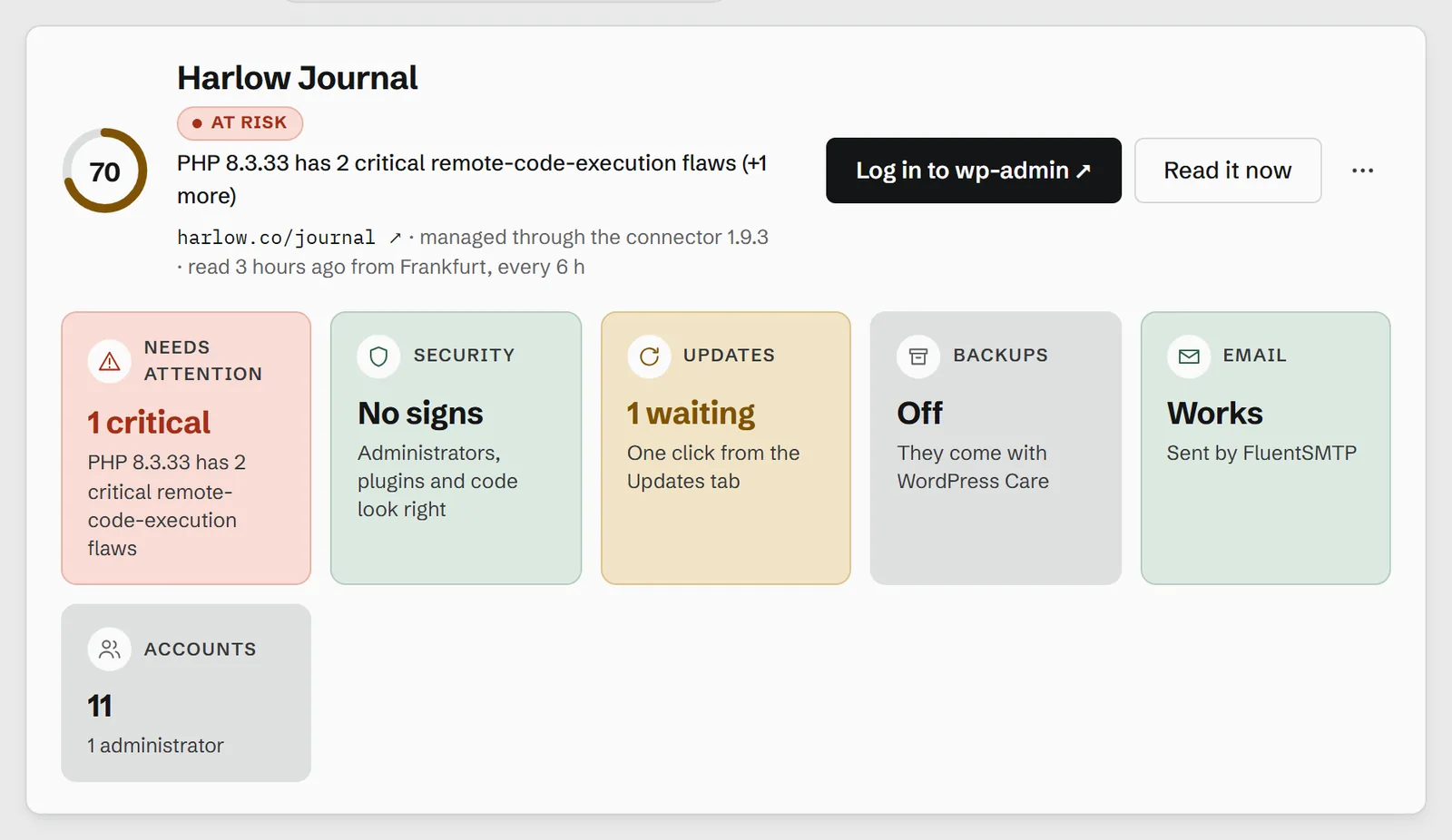
DNS Toolbox keeps its own list of critical PHP advisories, taken from the PHP project’s announcements, so a connected site is checked the day a flaw is published rather than when a vulnerability database catches up. A WordPress site connected with the DNS Toolbox connector reports the exact PHP version it runs. If it is affected, the site turns red with the reason:
The finding names both CVEs, the release that fixes them for your branch, and what to ask the host:
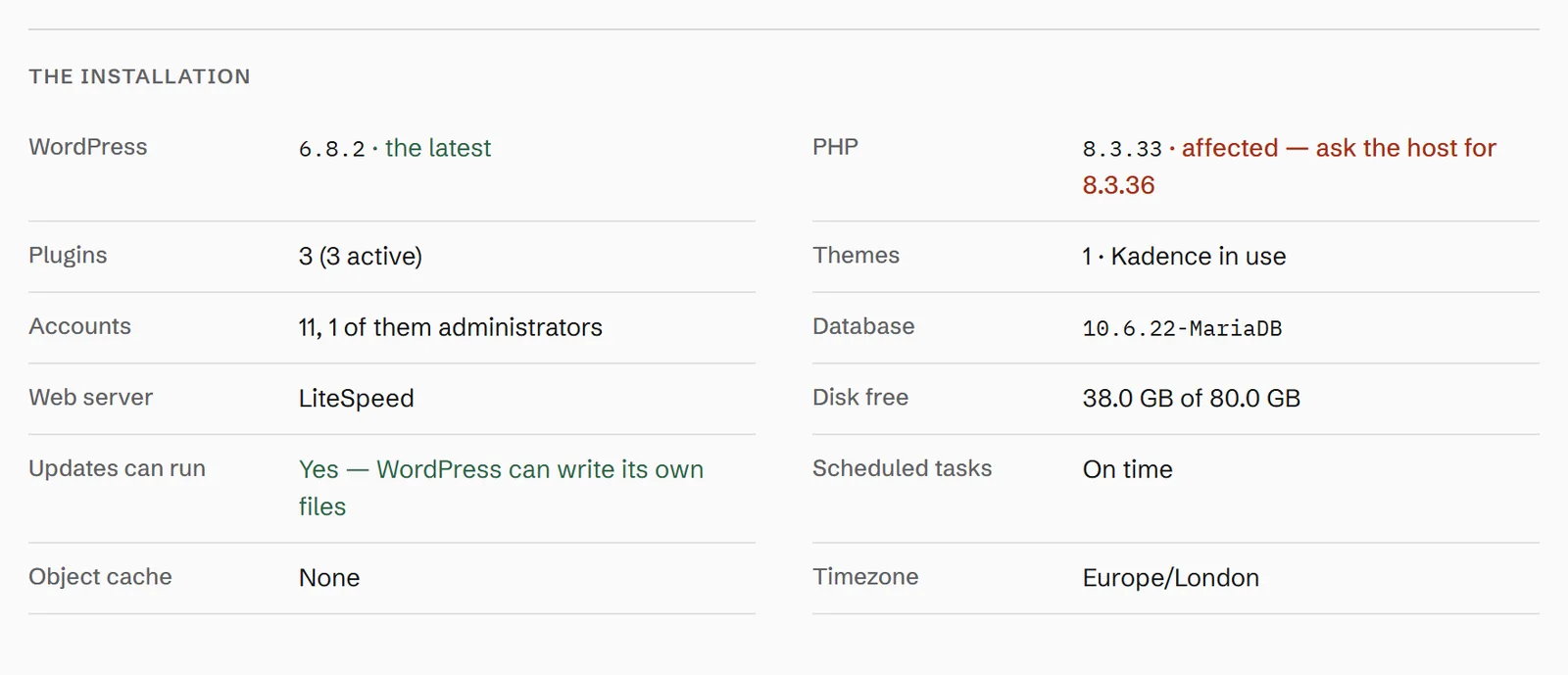
You also get one email per site — “PHP 8.3.33 has critical security flaws — ask your host to update it” — and nothing more until something changes. When the host updates PHP, the next read clears the finding by itself.
Sites that are not WordPress, or not connected, are covered by the scan whenever they announce their PHP version: the domain report shows the same critical finding, and a monitored domain is reminded once a week until it is fixed. A site that hides its version is never guessed at — the free check above, with the version typed in, answers for it.